Dropbox links get lost. Email threads go quiet. A client portal fixes both.
How it works
Up and running in 10 minutes
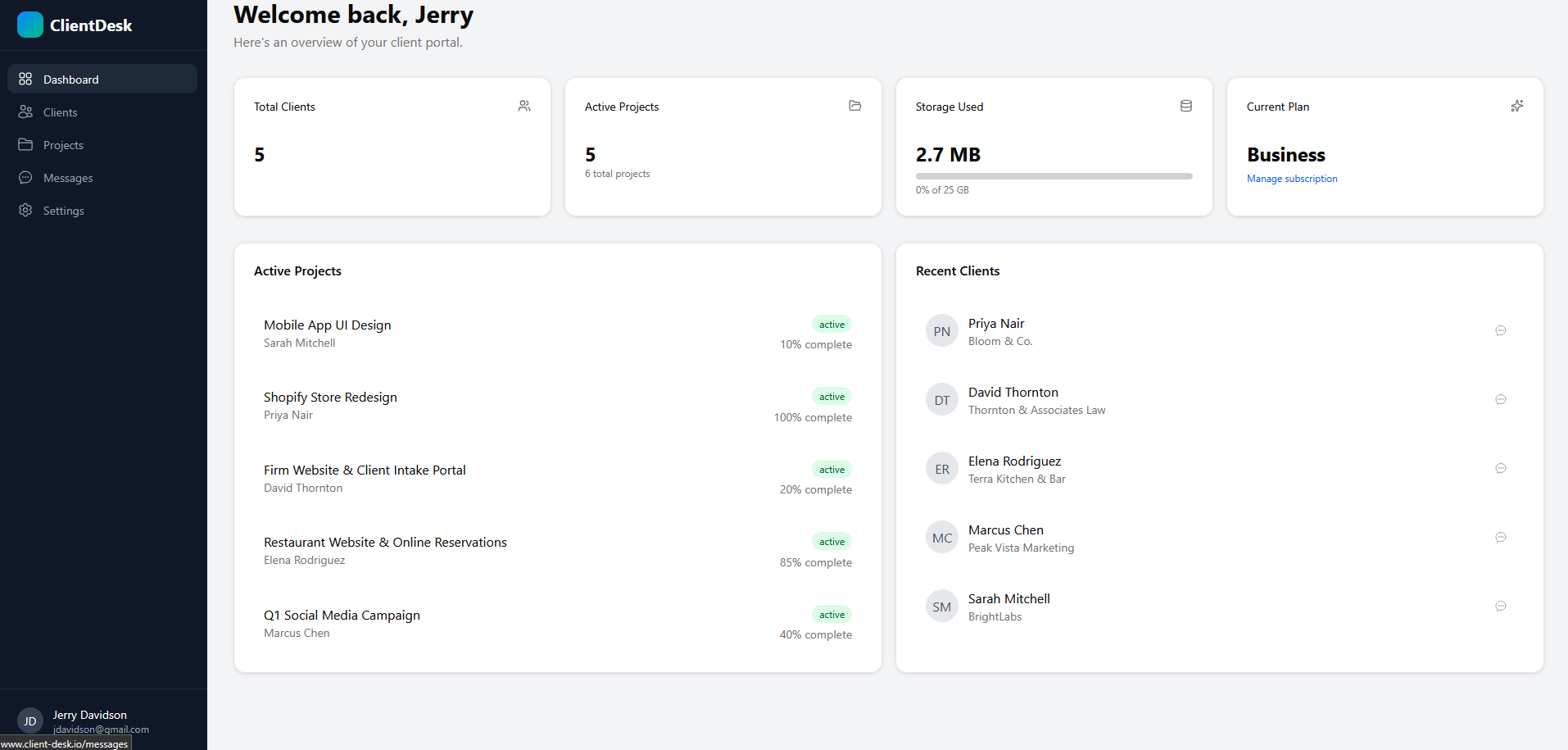
Add your client and projects
Create a client profile and set up your projects with a name, description, and current progress. Takes about 3 minutes.
Upload files and set status
Upload deliverables directly to each project (up to 100 MB per file). Update progress percentage as work moves forward.
Share the portal link
Send your client one link. They see their projects, download files, and message you. No account required.
What's included
Everything you need to impress clients
Branded Portal
Custom logo, colors, and a professional client-facing experience that matches your brand.
File Sharing
Upload deliverables up to 100 MB each. Clients download with one click, no signup.
Project Tracking
Show progress, phases, and status. Clients stay informed without chasing you.
In-Portal Messaging
Real-time messaging right inside the portal. No more scattered email threads.
Magic Link Access
Clients click a link and they're in. No passwords, no friction, no support tickets.
White-Label
Remove all ClientDesk branding. Your clients only see your name and logo.
Client experience
What your clients see
A branded portal with their projects, progress, and files. No login hassle.
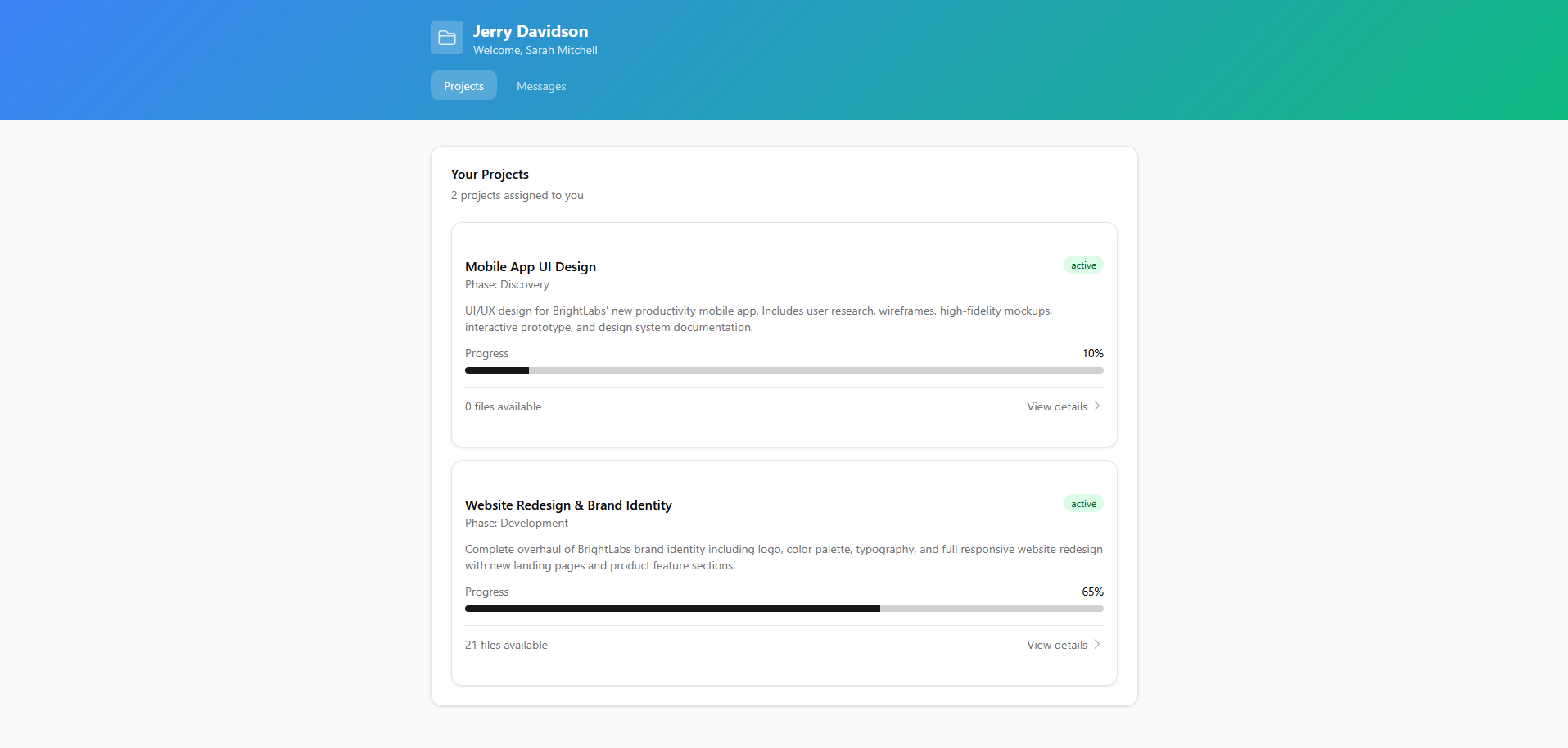
Your client's view: branded, clean, and password-free
Testimonials
What freelancers are saying
4 clients onboarded in one afternoon“I was emailing Dropbox links and hoping clients found the right file. Set up ClientDesk in 10 minutes, moved 4 active clients over that afternoon, and my first client said it looked 'really professional.' Haven't sent a file over email since.”
Cut status emails by 80%“My clients used to email me 3-4 times a week asking 'what's the status?' Now they check the portal themselves. I tracked it for a month and went from 12 status update emails per week down to 1 or 2. That's hours I get back every week.”
Switched from Dubsado in 15 minutes“I tried Dubsado and HoneyBook before this. Both wanted me to learn a whole CRM just to share project files. ClientDesk does the portal part and does it well. I was up and running in under 15 minutes with white-label branding.”
Zero login friction for clients“The magic link is genius. I have clients who can barely open a PDF, so asking them to create an account was never going to work. Now I send one link and they see everything: files, progress, messages. No login issues at all.”
FAQ
Common questions
What is a client portal for freelancers?
A dedicated space where your clients can check project status, download files, and communicate with you. No separate apps, no email chains, no passwords to forget. You get one link to share. They get a clean, branded view of their work.
How long does ClientDesk take to set up?
Most freelancers have their first client portal live in under 10 minutes. Add a client, create a project, upload a file, share the link. That's the whole setup.
Do my clients need to create accounts?
No. Clients access their portal via a permanent shareable link or a one-click magic link sent to their email. No signup, no password, no friction.
Can I add my own branding?
Yes. Add your logo and brand colors on all plans. Remove 'Powered by ClientDesk' on Pro ($12/mo). Add a custom domain on Business ($29/mo) so your portal lives at portal.yourdomain.com.
Does ClientDesk work on mobile?
Yes. The client portal is fully responsive. Clients can check project status and download files from any browser on any device.
Can I manage multiple projects per client?
Yes. Each client gets one portal that shows all their active projects. You can add as many projects as you need per client.
Compare ClientDesk: Dubsado alternative · HoneyBook alternative · Moxie alternative